Materials: TapisUI Page Overview
We’ve created these helpful diagrams to outline our page layouts.
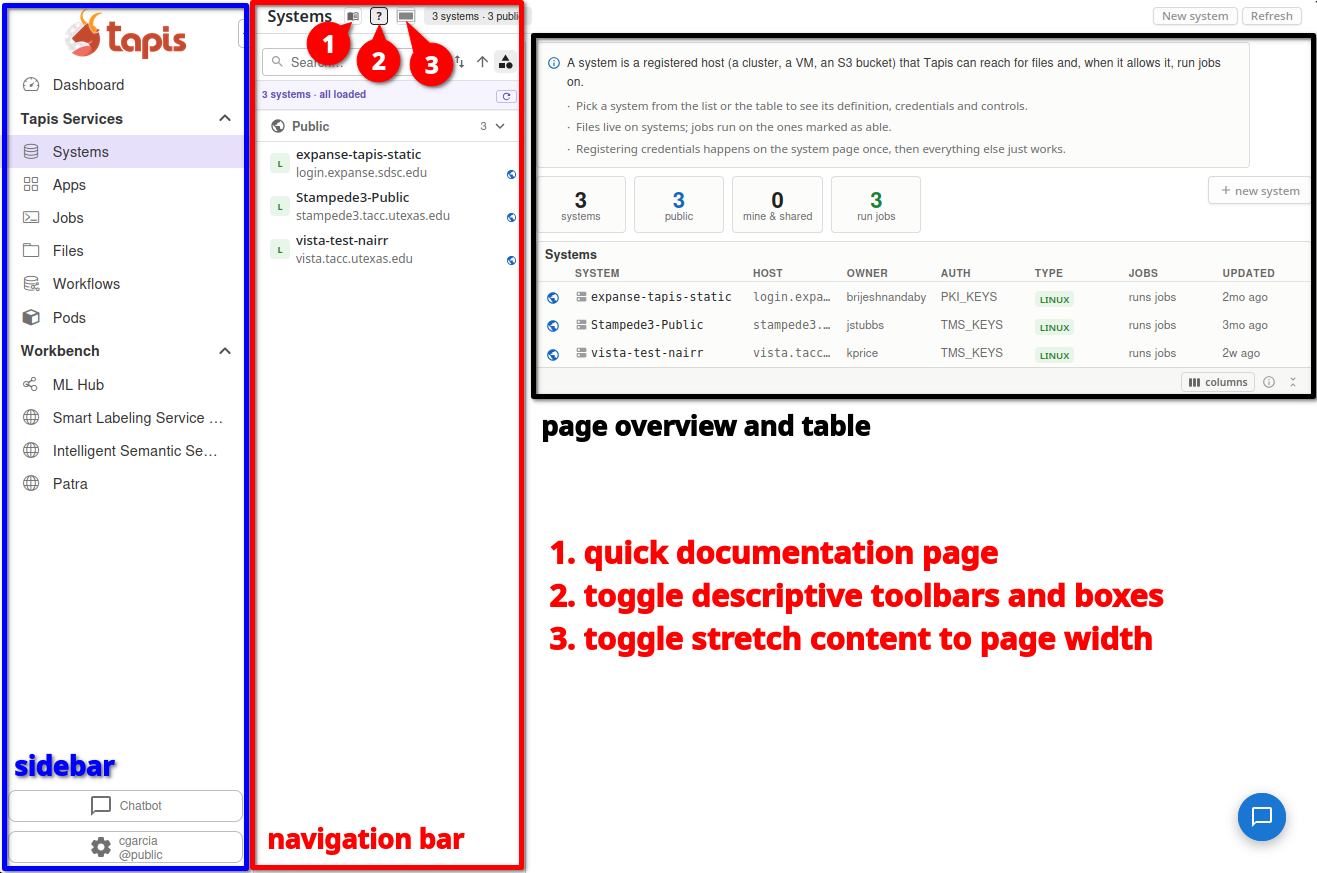
Systems Page
In the Systems page overview here you’ll see the sidebar, nav bar, and overview section grouped along with quick setting explanations to view documentation and change page layout.
Jobs Page
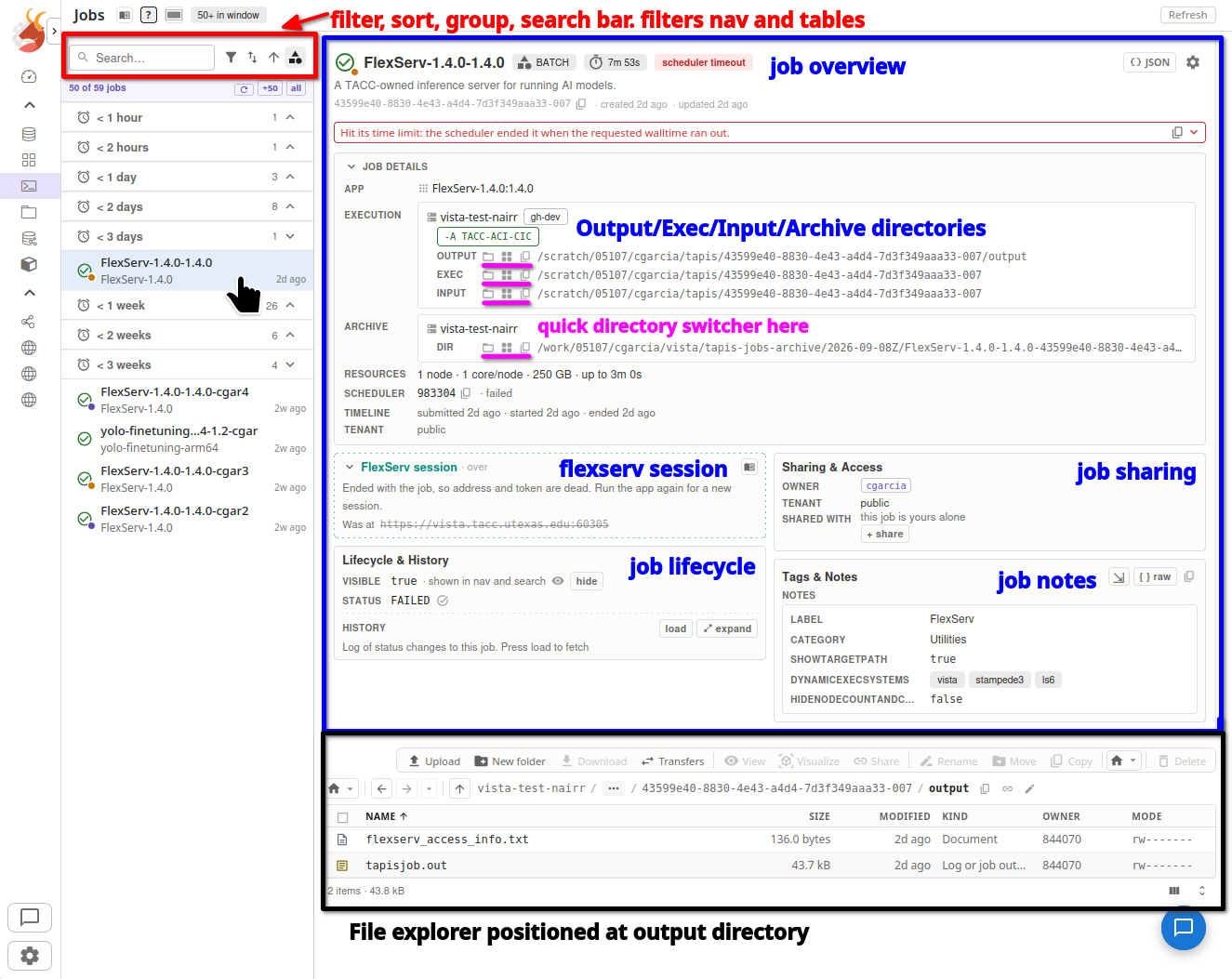
In the Jobs page overview here you’ll see the search, sort, and grouping bar shown in red. In blue you’ll find the job overview section with detailed sections on lifecycle, access, and working resources. If a Flexserv or other interactive session (Paraview, Jupyter) are running you’ll conditionally see a “FlexServ Session” or other box which will guide users to viewable urls based off of tapisjob.out.
You’ll find a file explorer on this page once a job is running which will quickly navigate users to output files. The pink noted section provides quick buttons to preview job-pertinent directories.
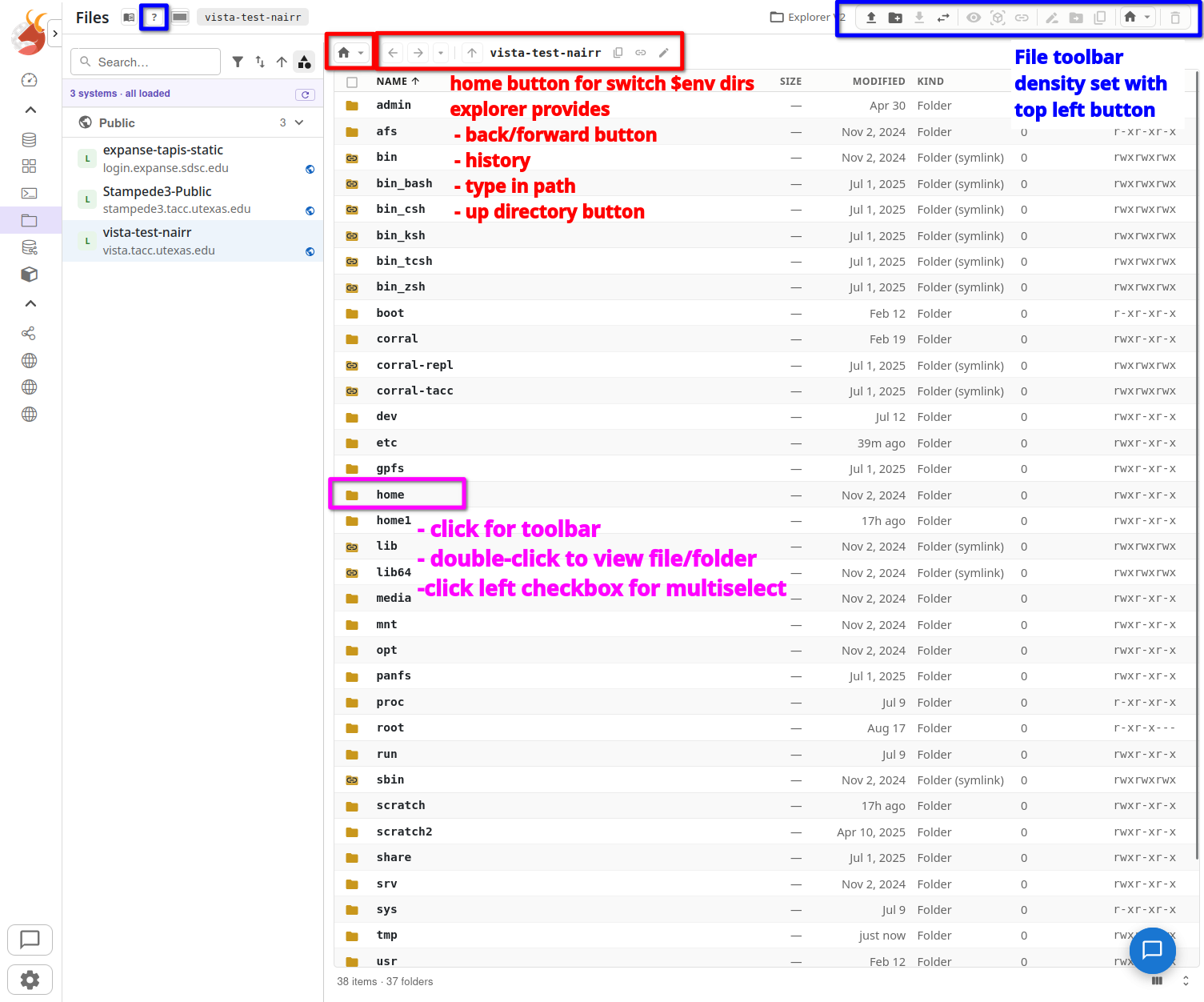
File Explorer
In the File explorer you can interact with remote Systems. The explorer toolbar provides transfer, upload, renaming, new dir, and other functionality. Users can double-click a file or folder to preview it. Toolbar taking up too much room? At the top left in blue is a button to reduce toolbar size. The red highlighted path bar provides history and quick switching functionality.